Lineardraft frequently talks to our license service, and you need to make sure you have access through your company's firewall and/or proxy service. Follow the steps below to check.
Step 1: Visit the license service web page from a browser
Click the following link or copy and paste it into a web browser: licensing.lineardraft.com/health
Step 2: Confirm you can see the 'Healthy' message
Confirm that you can see the page that looks just like the one below.
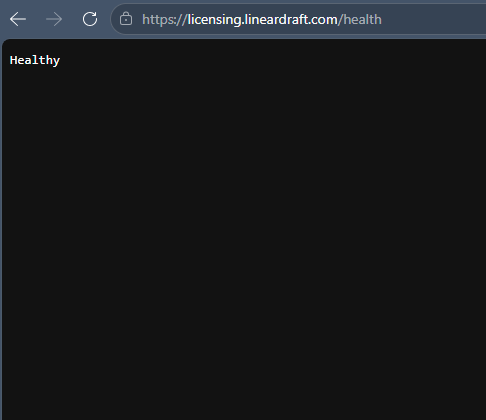
Please note: If you don't see the web page above, you'll need to contact your IT department and ask them to whitelist https://licensing.lineardraft.com